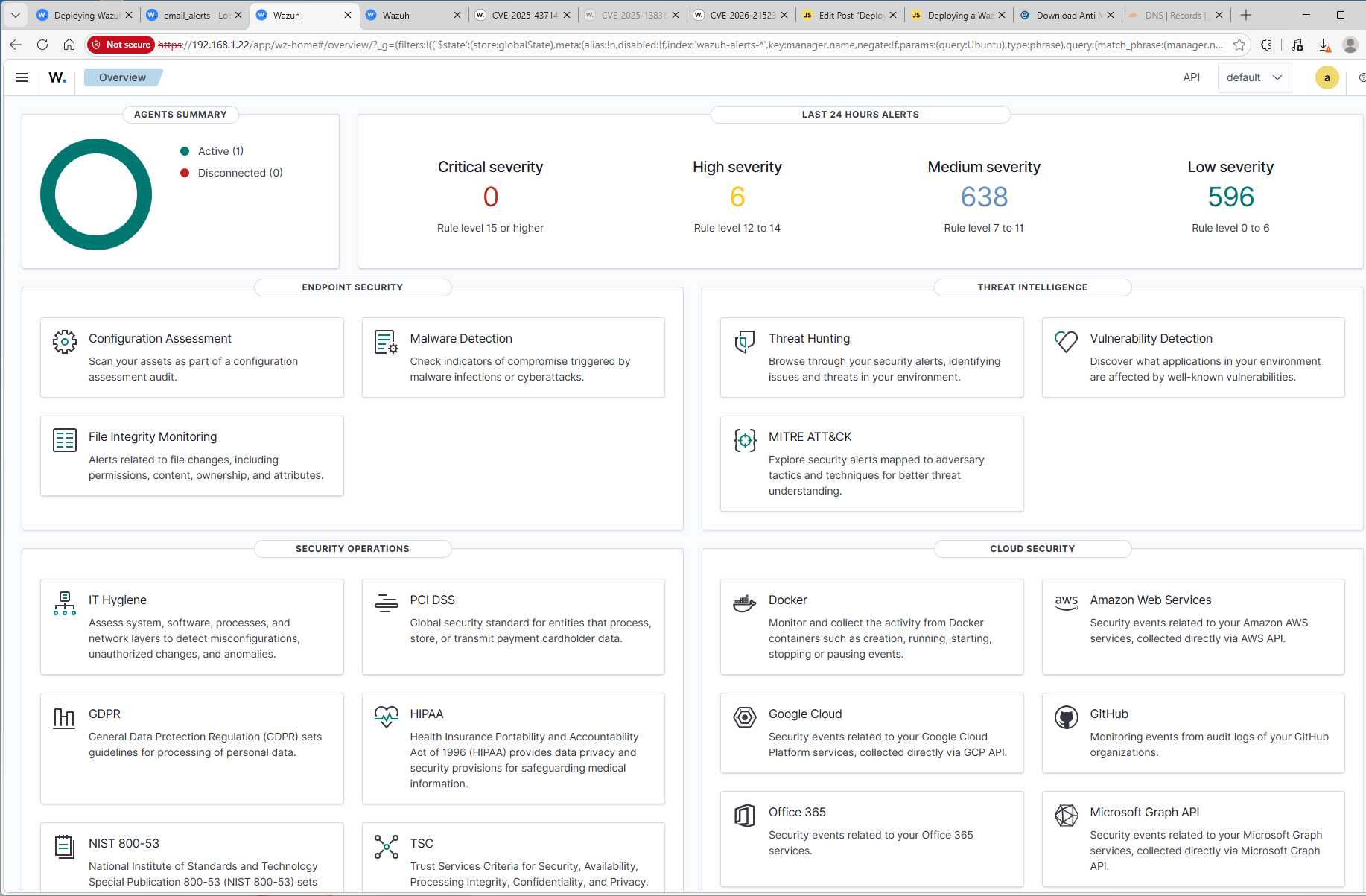
Project Overview
This exercise involved deploying Wazuh, an open source Security Information and Event Management (SIEM) and Extended Detection and Response (XDR) platform in a home lab environment.
Lab Architecture
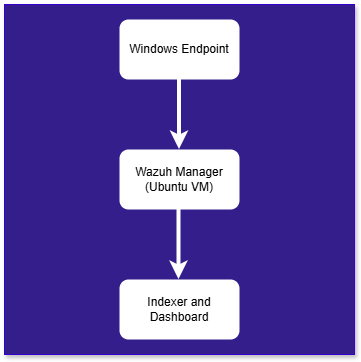
This lab environment was designed to simulate a simplified enterprise security monitoring architecture. Windows endpoint runs the Wazuh agent, which collects system and security telemetry and forwards it to the centralized Wazuh server hosted on an Ubuntu virtual machine. The Wazuh server performs log analysis, threat detection, and vulnerability monitoring while storing indexed event data and presenting alerts through the Wazuh dahboard.
Wazuh Deployment
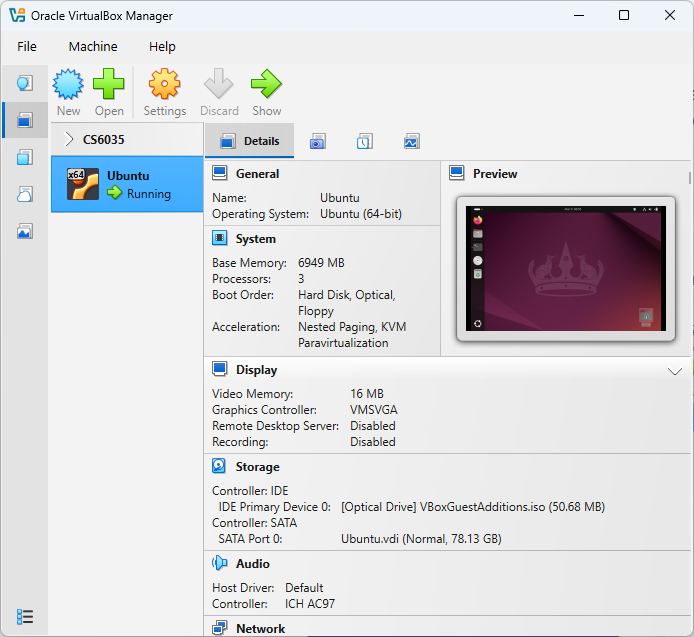
After provisioning an Ubuntu 24.04.3 Virtual Machine, I changed the Network Adapter to use a Bridged Adapter instead of NAT to prevent future issues. I then entered the following commands to download the Wazuh Installer, make it executable, and ran the installer.
curl -sO https://packages.wazuh.com/4.14/wazuh-install.sh
chmod +x wazuh-install.sh
sudo ./wazuh-install.sh -a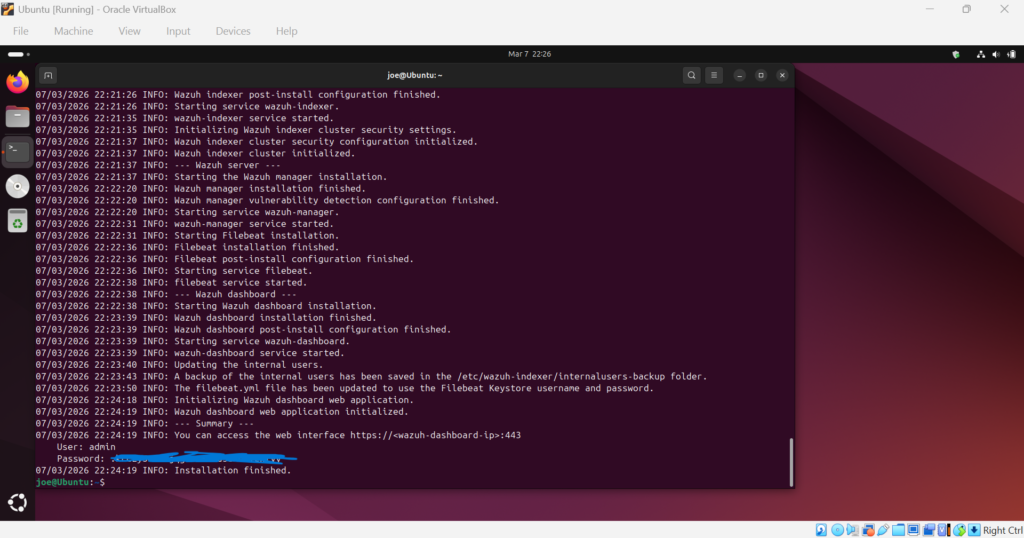
After the installation completed, I ran the following commands ensuring the Manager, Indexer, and Dashboard are running with no issues.
sudo systemctl status wazuh-manager | head -n 7
sudo systemctl status wazuh-indexer | head -n 7
sudo systemctl status wazuh-dashboard | head -n 7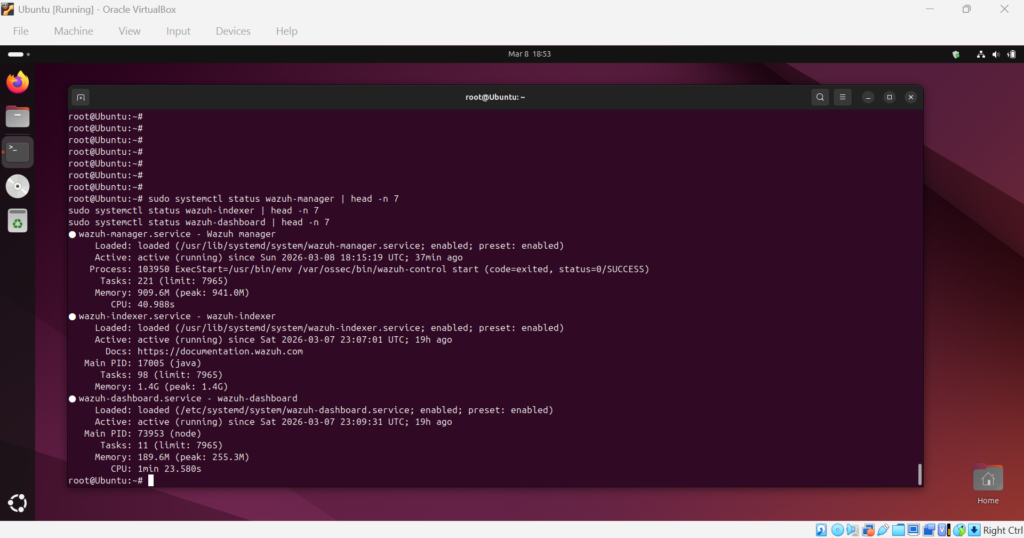
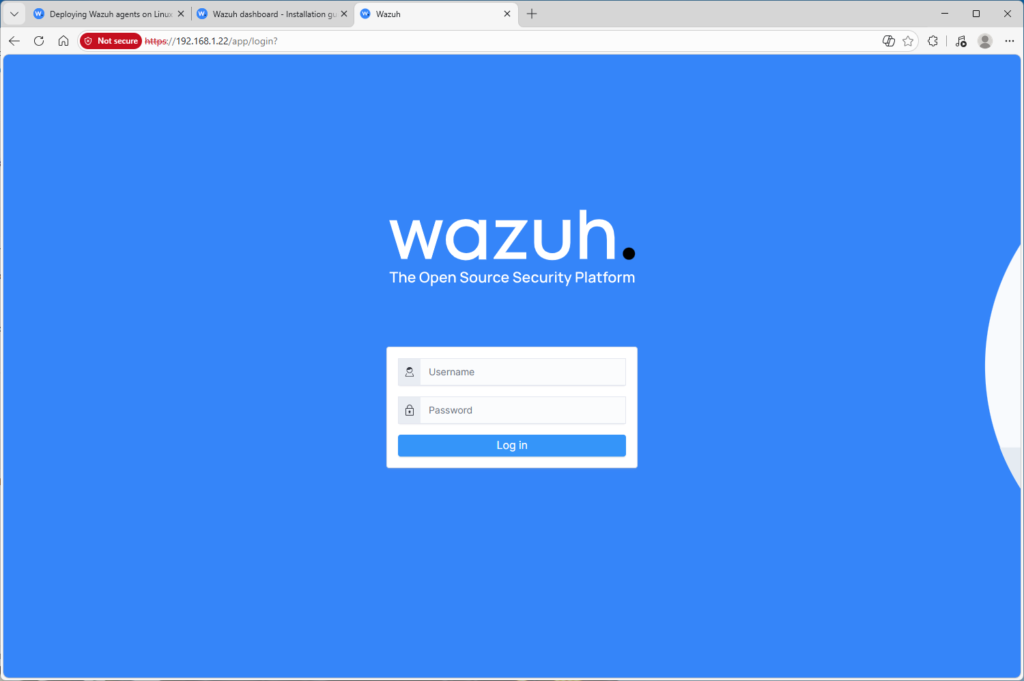
I then obtained the VM IP address using hostname -i and opened that within the Windows machine browser.
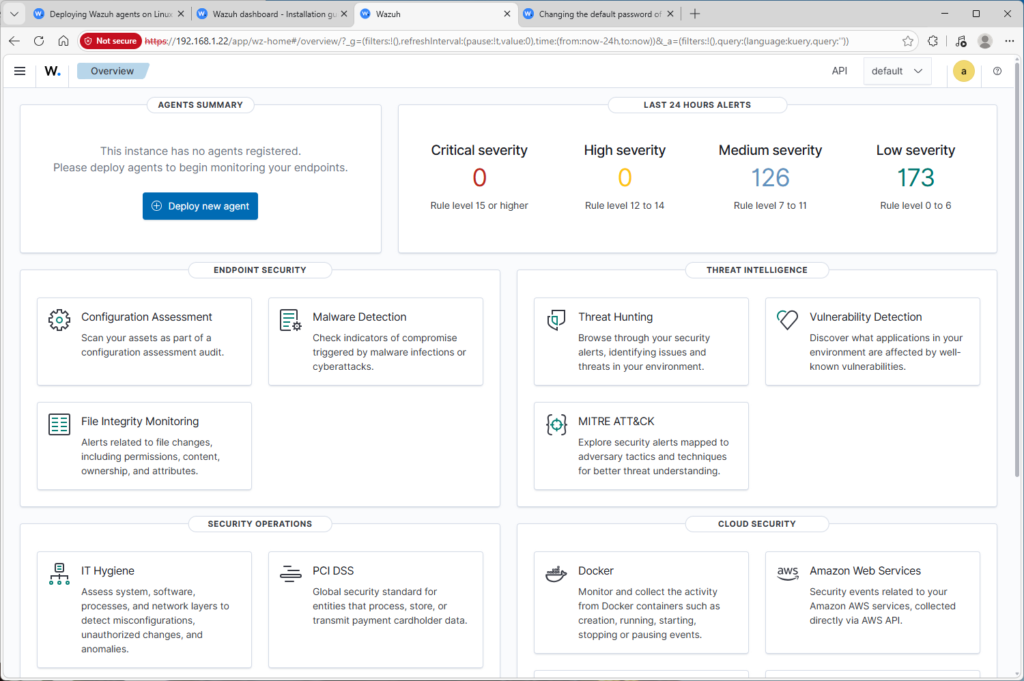
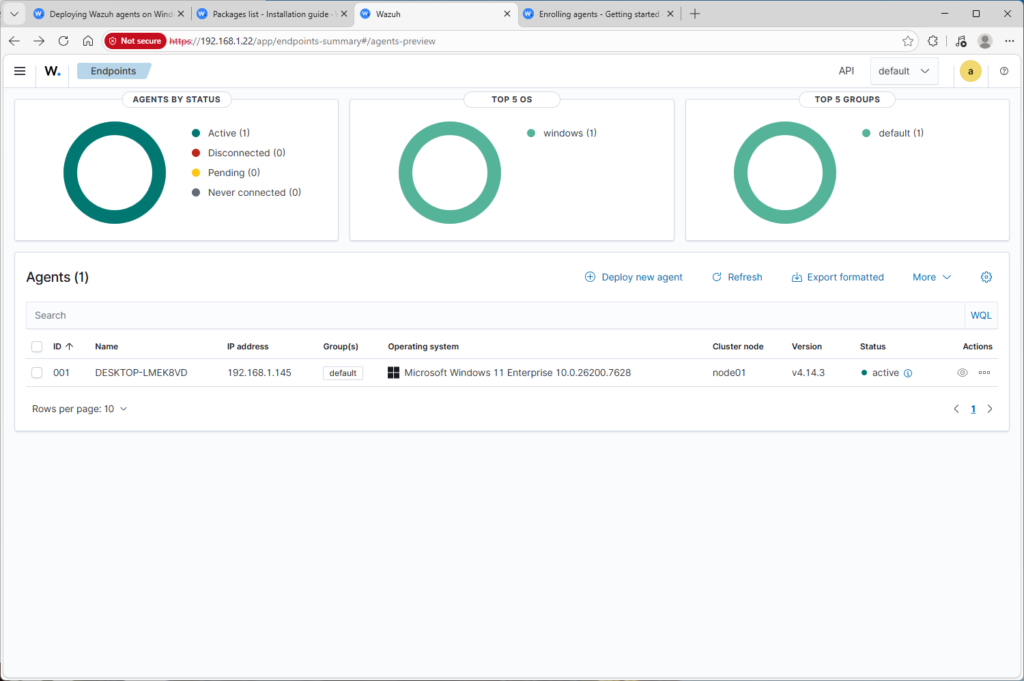
Finally, I downloaded the Wazuh Agent Package here and ran the installer on the Windows Endpoint. I then typed in the Manager IP that I gathered previously and ran the following command within PowerShell in the C:\Program Files (x86)\ossec-agent folder.
.\agent-auth.exe -m 192.168.1.22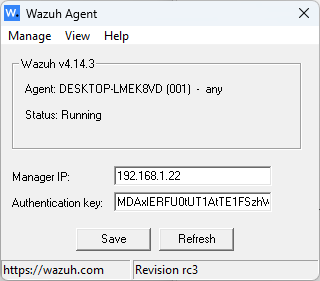
Vulnerability Detection
Now that the Windows endpoint was onboarded, the Wazuh vulnerability detection began analyzing installed software and comparing it against known vulnerabilities from public CVE databases.
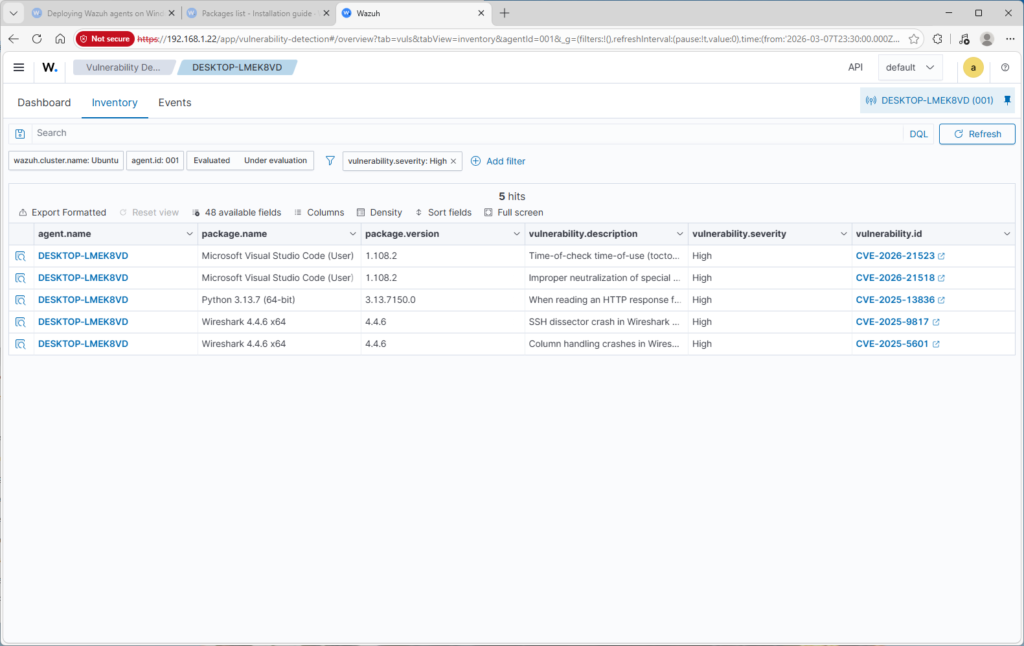
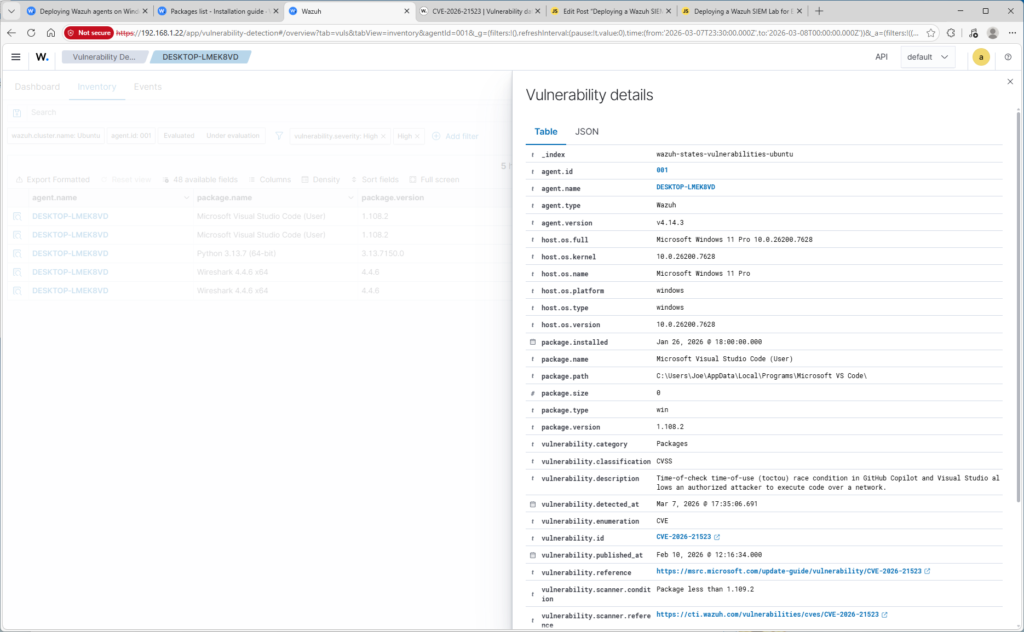
Each detected vulnerability is mapped to a CVE Identifier and includes detailed information such as the affected package, version, severity rating, and vulnerability description.
To remediate the detected vulnerabilities, I updated Visual Studio Code, Wireshark, and Python.
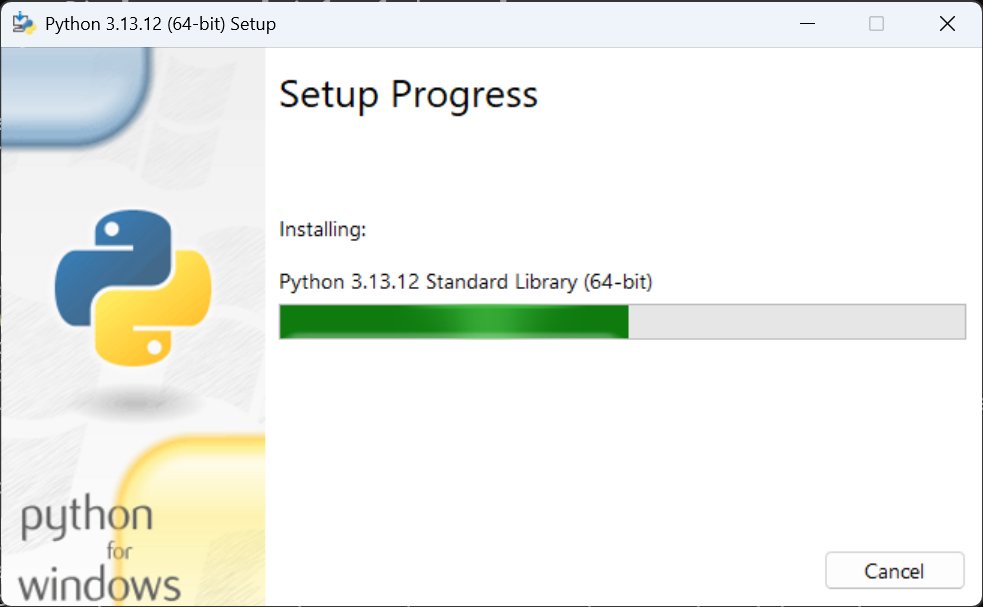
After the updates completed, the Wazuh agent service was restarted so the manager could refresh the endpoint telemetry.
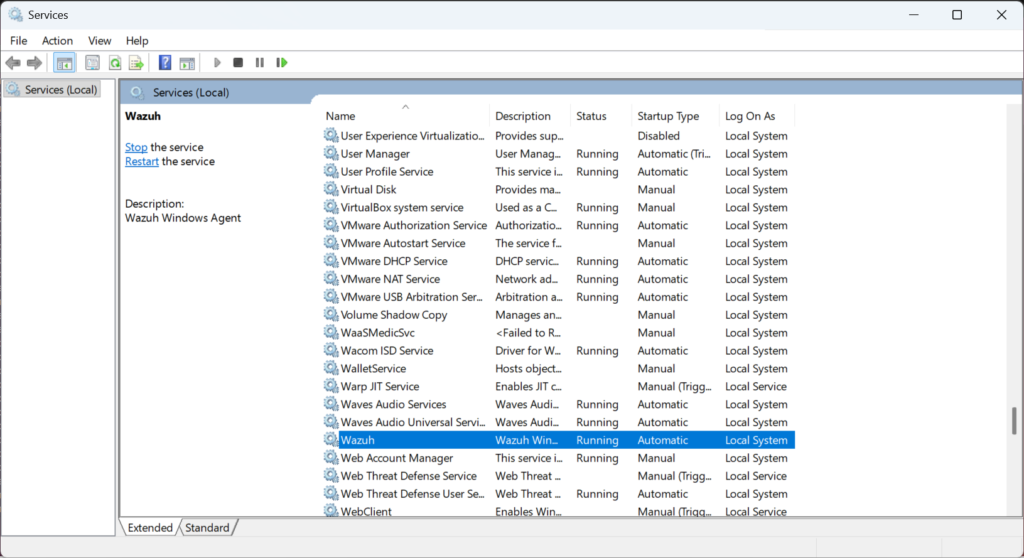
Once the system inventory was rescanned, the Wazuh vulnerability dashboard confirmed that the previously detected high-severity vulnerabilities were no longer present.
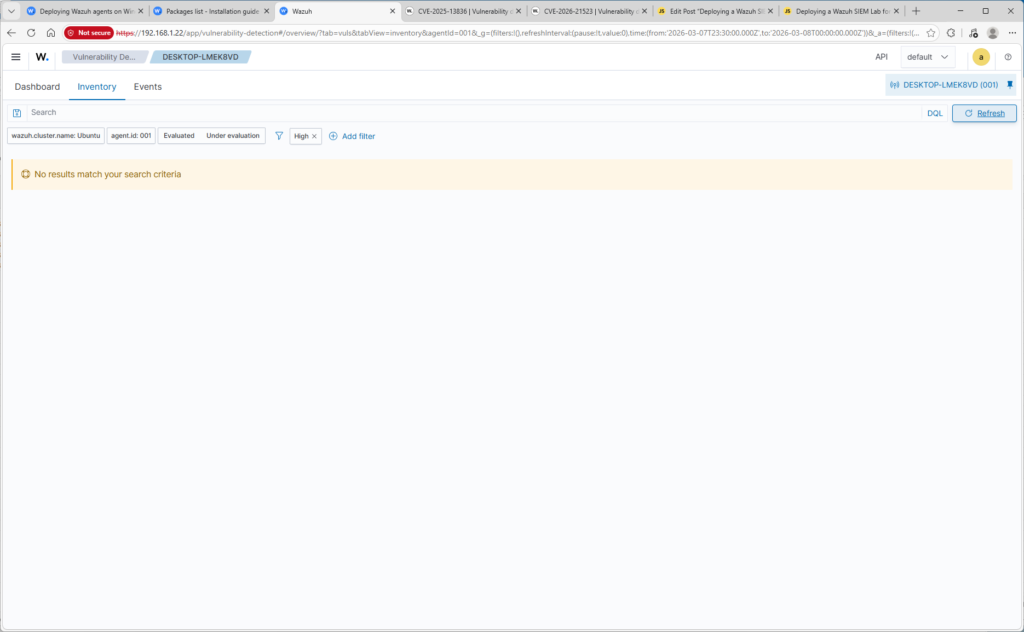
This remediation process demonstrates how SIEM platforms can be used not only to detect threats, but also for vulnerability management and system hardening.
Malware Detection Test
Purpose: prove the SIEM detects malicious activity from the endpoint.
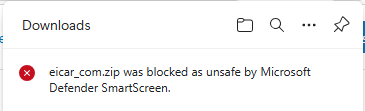
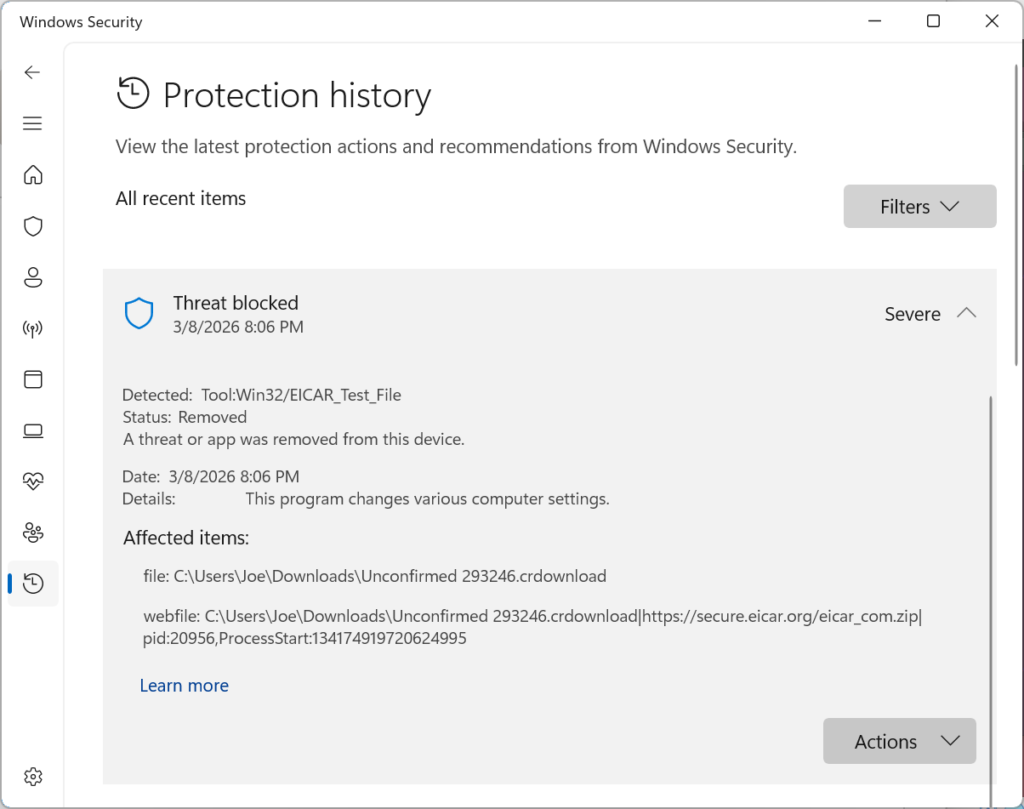
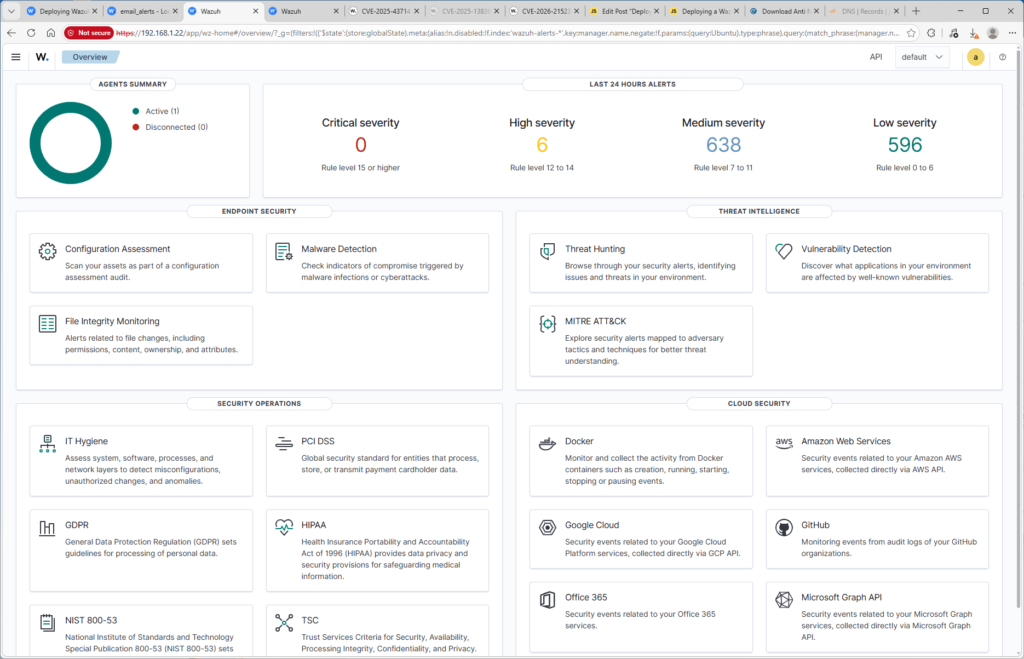
To validate that endpoint telemetry was properly ingested into the SIEM, I downloaded the EICAR antivirus test file on the Windows endpoint. Windows Defender immediately detected the file and generated Event ID 1116 in the Defender log.
Incident Investigation
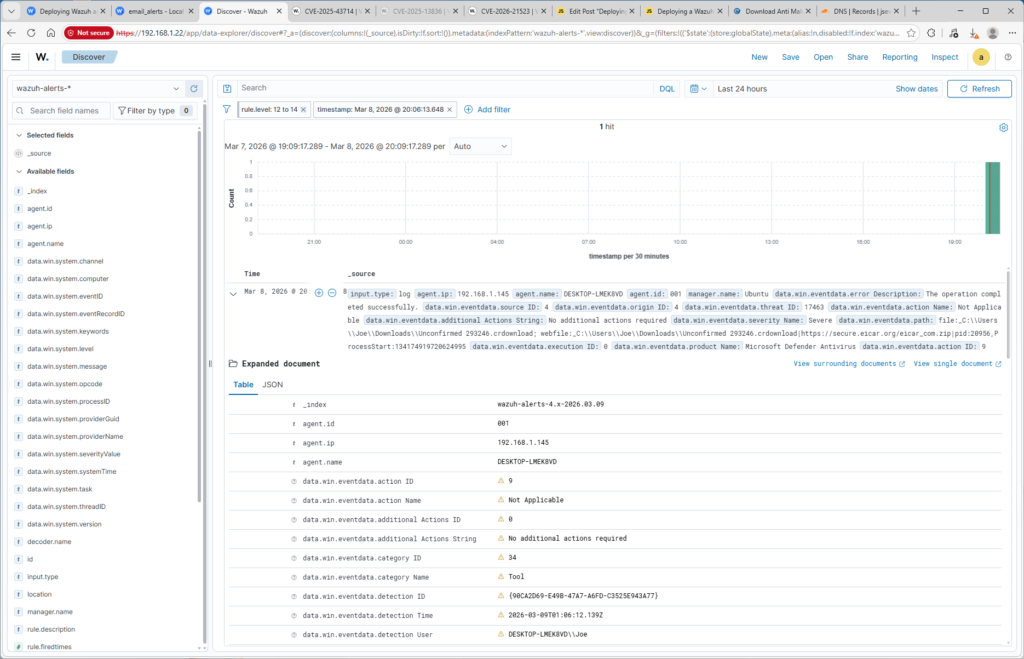
The generated alert was investigated in the Wazuh dashboard to examine the associated telemetry. The alert identified the source as Microsoft Defender and included information such as the hostname, detection time, file path, and malware classification.
Alert Notification Configuration
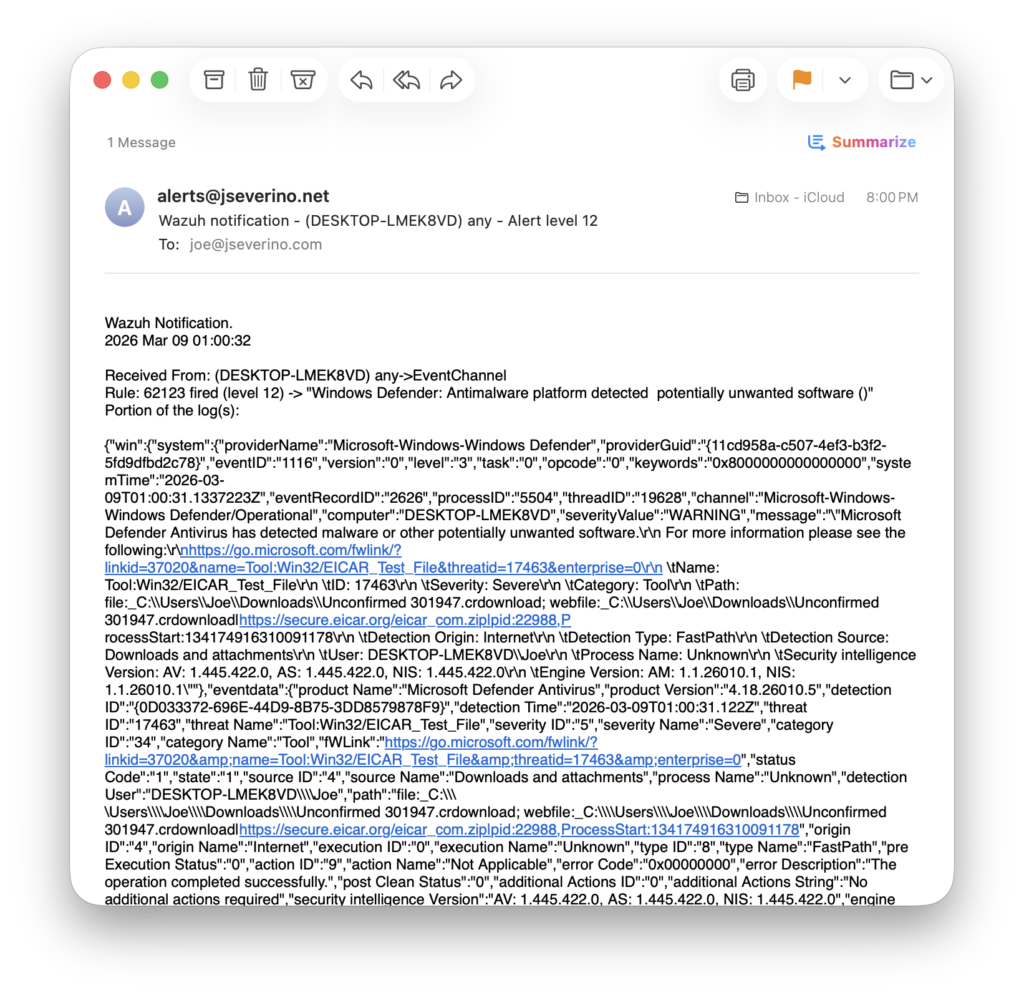
Wazuh alerts were configured to send email notifications through a locally configured Postfix relay. The relay authenticates to the domain’s SMTP server and forwards alerts to an external mailbox. Domain email authentication records (SPF, DKIM, and DMARC) were configured to ensure proper email deliverability and prevent spoofing.
Lessons Learned
- SIEM deployments require adequate storage. During the initial setup, the Ubuntu VM didn’t have enough disk space allocated, which prevented Wazuh from starting correctly. Expanding the VM storage resolved the issue.
- Bridged networking simplified communication between the endpoint and SIEM server. Using a bridged adapter allowed the Windows endpoint to communicate directly with the Ubuntu Wazuh server using the local network IP.
- Email alerts required more infrastructure work than expected. Wazuh was configured to send alerts through a Postfix relay using a custom domain email account. This required configuring DNS through Cloudflare, creating a mailbox in cPanel, and ensuring SMTP was setup correctly.
- A single endpoint alert contains a lot of telemetry. Investigating the Defender detection in Wazuh showed how much context is collected from a single event that can be filtered and manipulated to create custom dashboards.