Overview
Study Quiz came from a real problem while I was preparing for CS6250 Computer Networks.
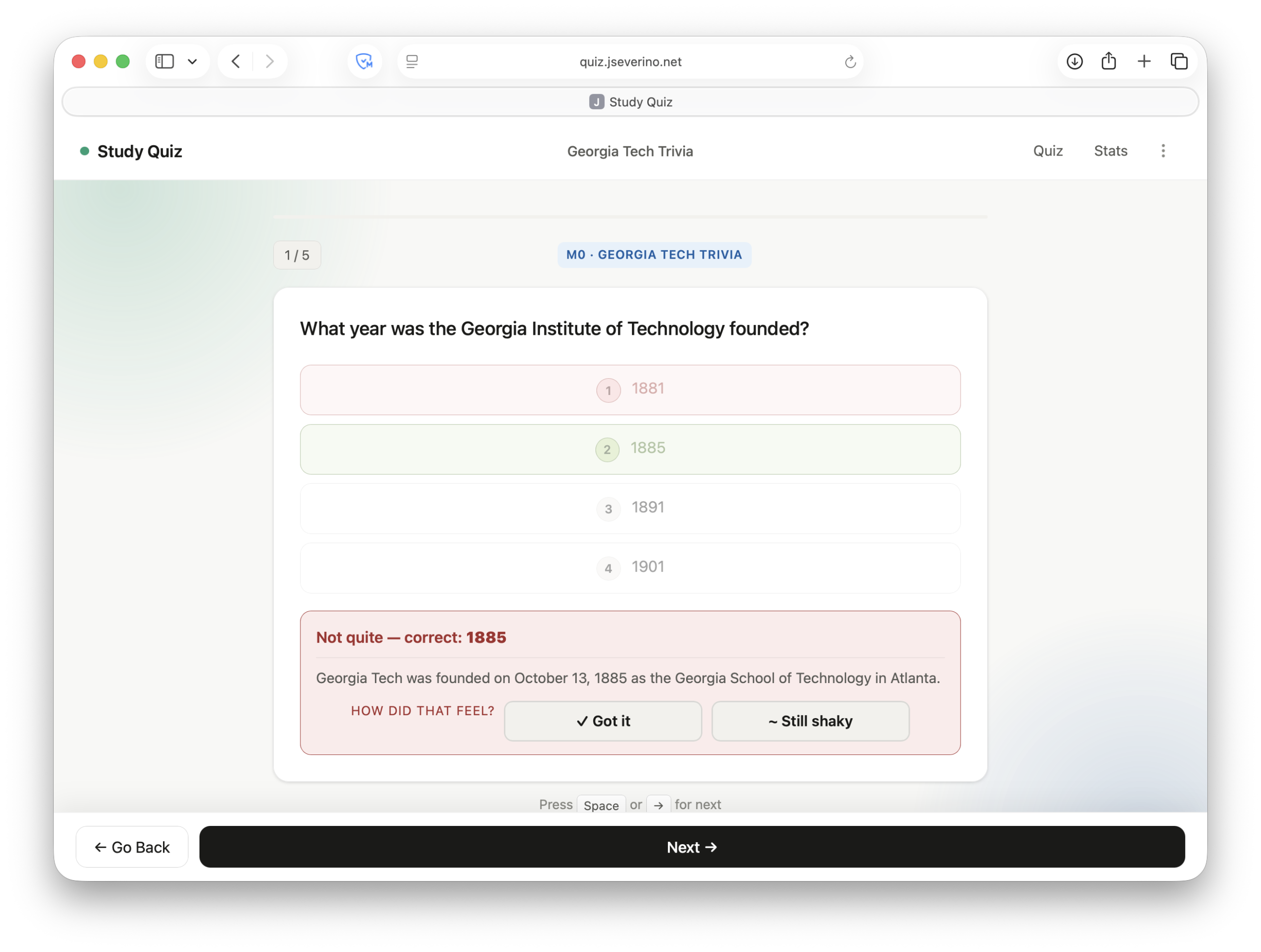
I had a released practice question pool for Exam 2. It was useful, but reading through questions isn’t the same as actually answering them. I wanted something where I could go question by question, get immediate feedback, see the explanation, and keep moving.
There was also a constraint: I wanted the app to be public, but I couldn’t publish the course material. That pushed me toward a local-first approach. The app is public at quiz.jseverino.net, but the question bank is imported by the user and stays in the browser.
That became the core idea: build the tool publicly, keep the data private, and avoid adding backend complexity that wasn’t needed.
The Problem
The question pool wasn’t built for repetition. It was easy to read through, but not great for actually testing yourself.
What I wanted was simple:
start a session → answer → get feedback → read explanation → track misses → keep going
And at the end, I didn’t just want a score. I wanted to know what I actually needed to work on.
The Constraint: Public App, Private Data
The most important decision was separating the app from the content.
The app is public. The question bank is not.
Nothing is bundled into the repo. The user imports their own JSON file locally. That keeps the project shareable without redistributing course material.
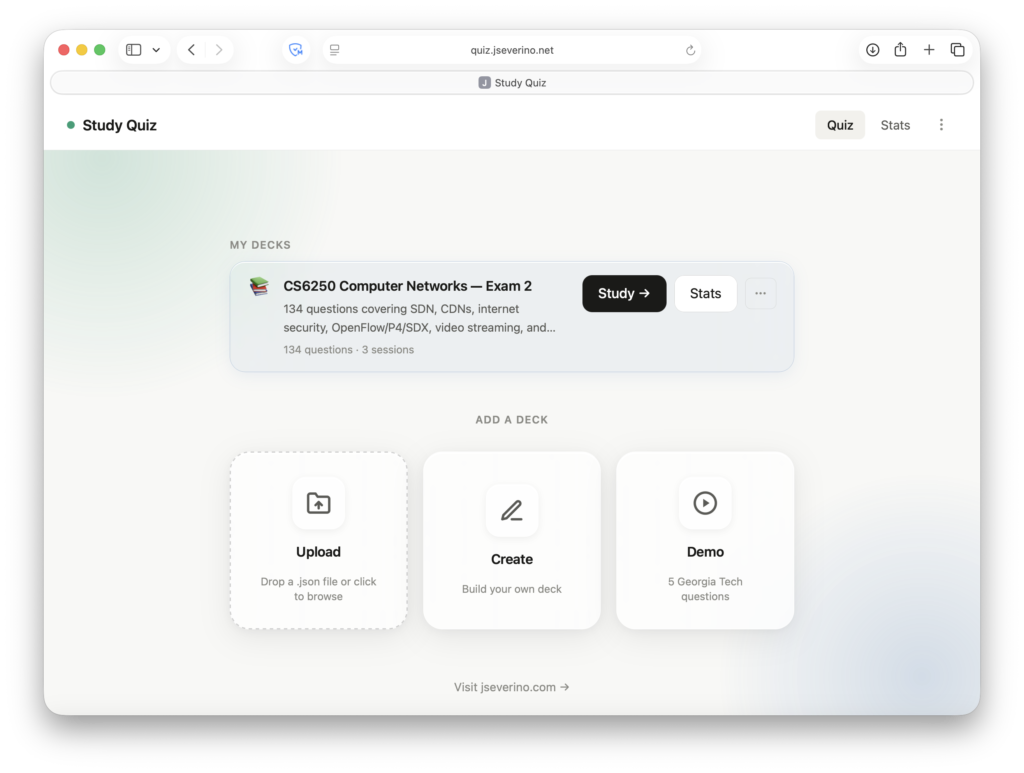
There’s also a demo deck so anyone can try it without needing the real questions.
The Solution
I built Study Quiz as a browser-based app where the user brings the study material instead of the server storing it.
The app handles the quiz logic, progress tracking, and review flow. The content comes from a local JSON import. Once the deck is loaded, the app can run a full study session, track results, identify misses, and preserve progress in the browser.
What I Built
Study Quiz is a local-first quiz app built for active recall. You import a deck, run through questions, get immediate feedback, and track how you’re doing over time. Missed questions are saved so you can review them and focus on weak areas instead of rerunning everything.
Why I Chose a Local-First Architecture
A backend would have made this more complicated without making it better.
This workflow is personal and doesn’t need accounts or hosted data. The browser can already load a file, manage state, and store progress. Keeping everything client-side removed an entire set of problems.
The simplest way to protect the data was to never send it anywhere.
Verifying the No-Upload Design
I checked this directly in the browser. After a 130 minute session, the Network tab only shows the page, JavaScript, and CSS. There are no requests for question data, answers, or scoring. Everything stays in the browser.
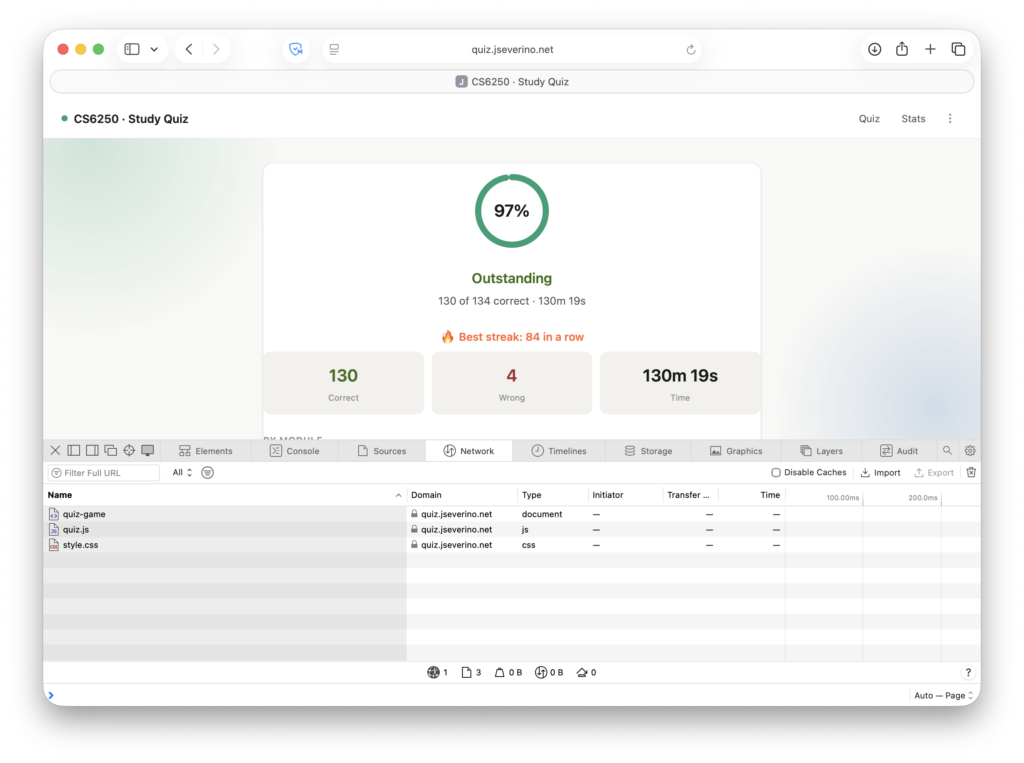
That confirms the app actually stays local. The browser’s network activity confirms that the study flow does not depend on upload requests or backend grading calls.
Deck Library and Import Flow
The home screen is designed around fast entry into a study session.
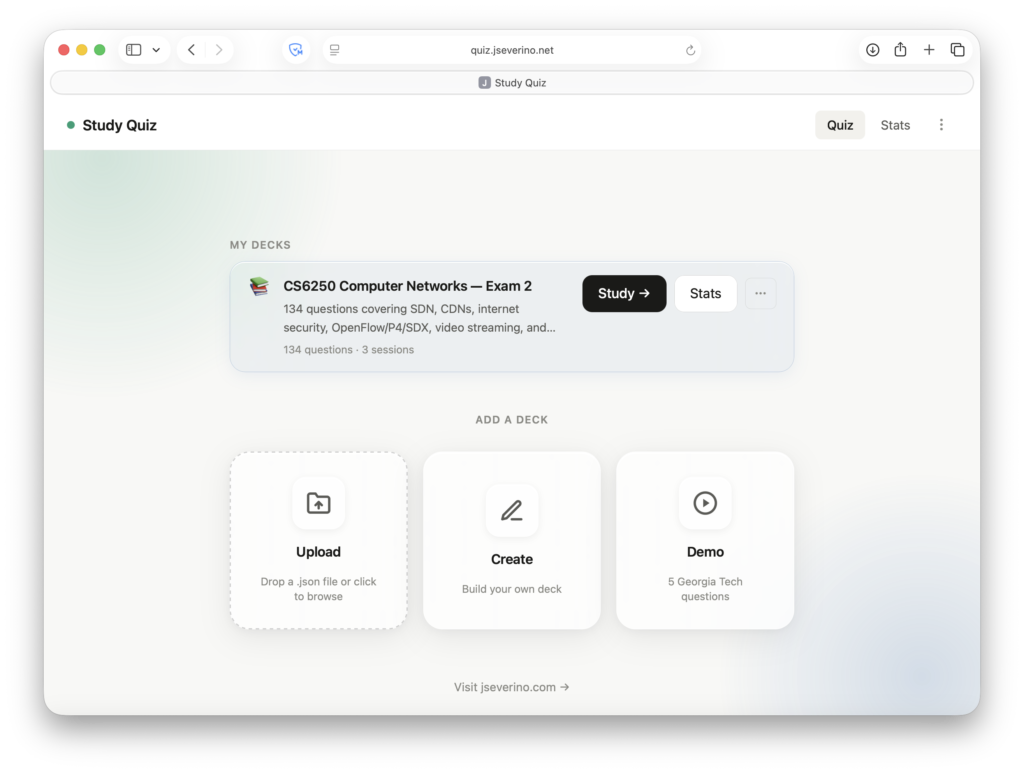
A user can import a deck, create a new one, load the demo deck, or resume working with an existing local deck. Once a deck is active, the app shows the available study options and allows the user to start practicing without extra setup.
The import model is what makes the app portfolio-safe. Instead of shipping the CS6250 question bank with the app, the user brings their own file. The app becomes a reusable study shell for any compatible question set.
The deck library also makes the project more general. It is not limited to one course or one exam. Any properly structured question bank can become a Study Quiz deck.
Study Workflow
The core quiz loop is intentionally direct.
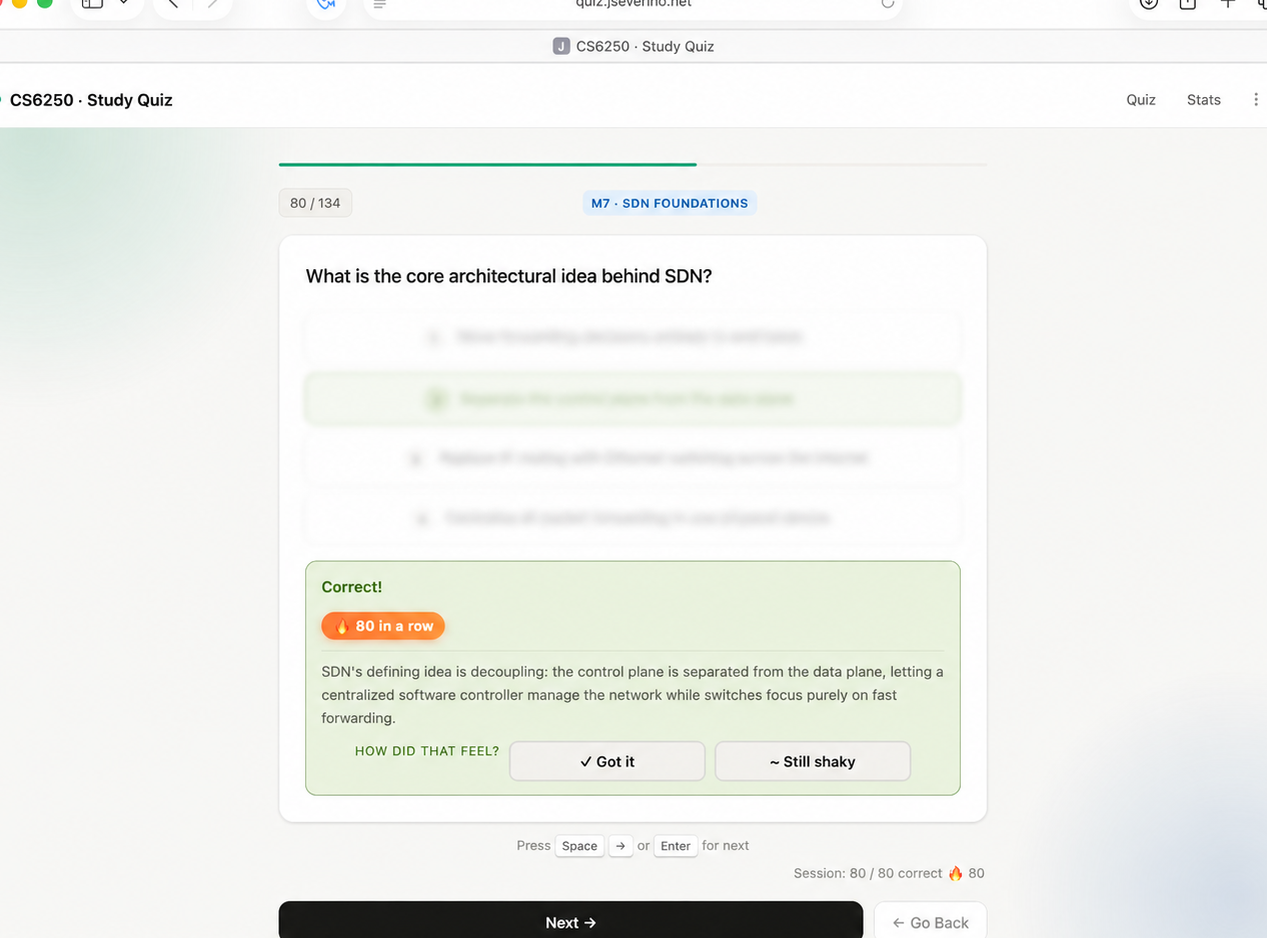
The app presents one question at a time, shows the answer choices, accepts the user’s response, displays whether the answer was correct, reveals the explanation, updates the running score, and moves to the next question.
Missed Questions and Weak Review
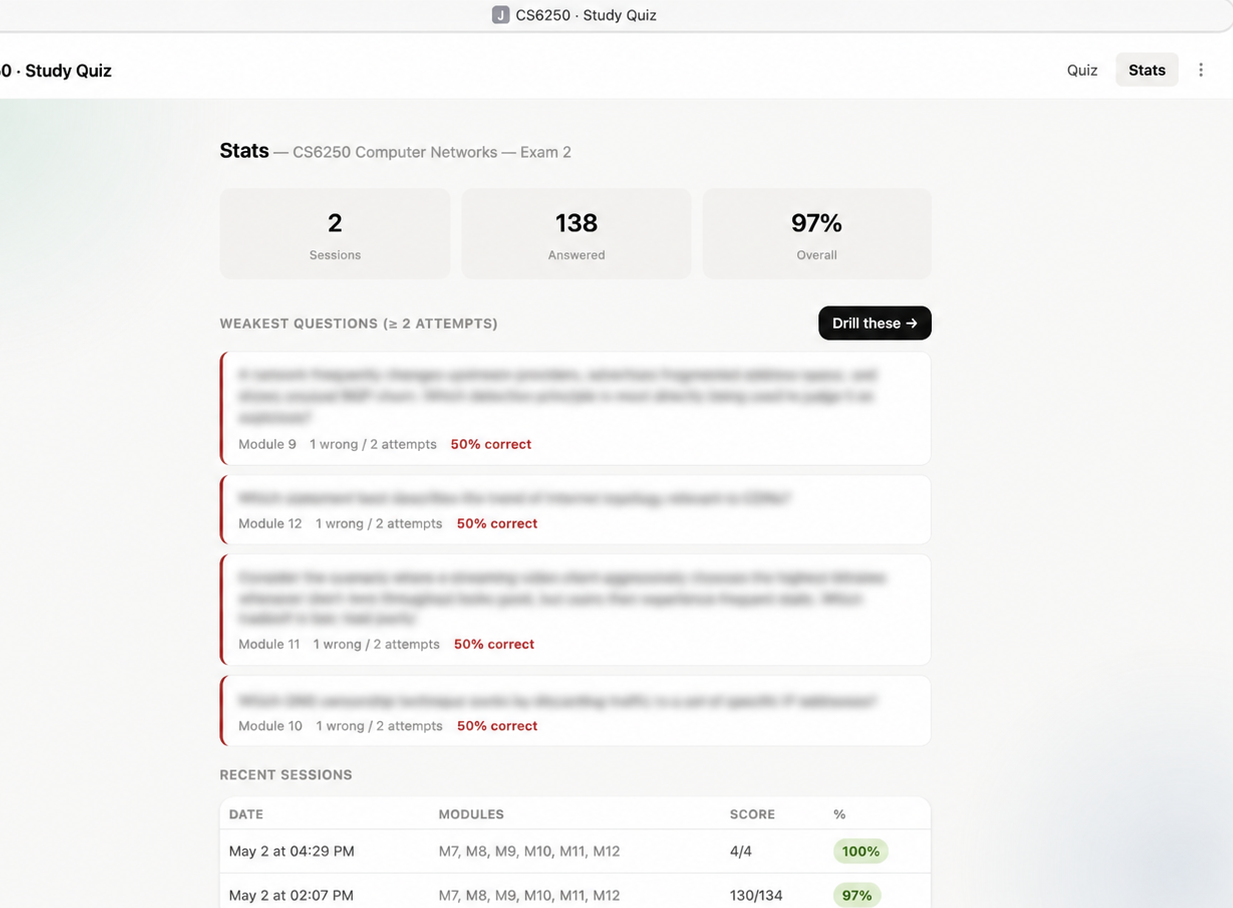
Study Quiz tracks missed questions during a session so they can be reviewed afterward. It also identifies weak questions over time, which makes it possible to drill the areas that actually need more work instead of rerunning the full deck every time.
Real Session Validation
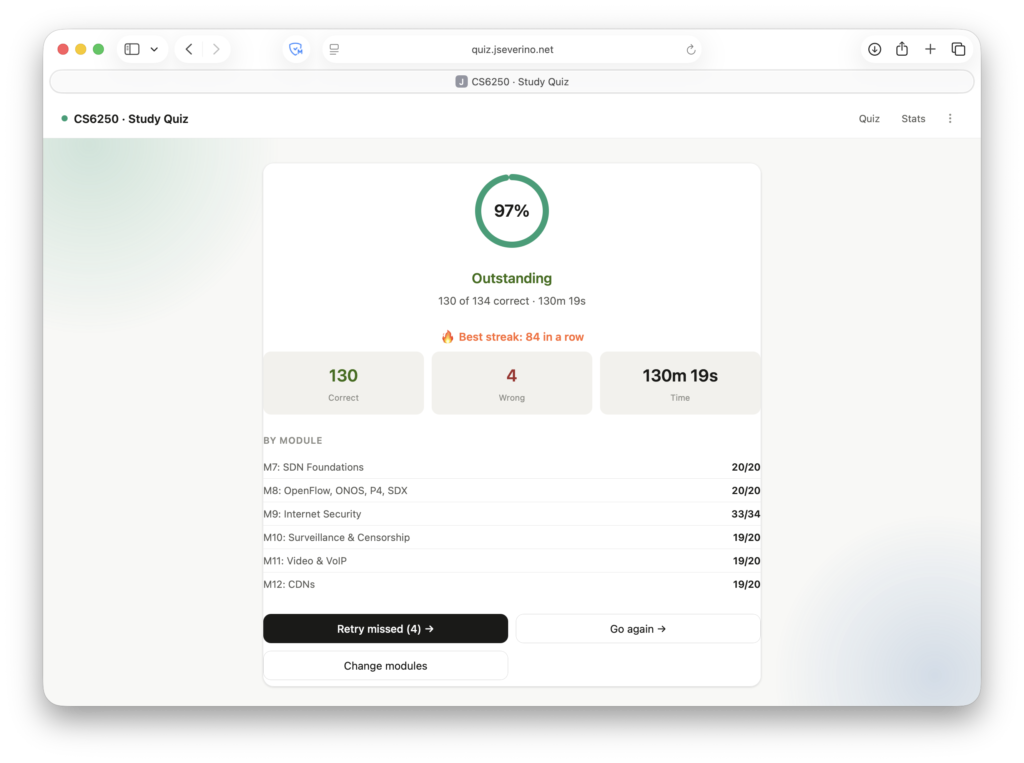
I used this for a full Exam 2 review session with 134 questions. I finished with 130 correct and 4 wrong over about two hours. I then used it as my main review tool going into the exam and scored 100 percent on the proctored Exam 2. It wasn’t just a demo. It held up during real exam prep.
Tradeoffs
The local-first design fits this project, but it has tradeoffs.
Progress is tied to the browser unless exported. Clearing browser data can remove decks and stats. There is no automatic multi-device sync. Very large decks may eventually be better suited for IndexedDB instead of localStorage.
Those tradeoffs were acceptable because the goal was not to build a hosted platform. The goal was to build a fast, private, repeatable study tool.
Conclusion
Study Quiz worked because I kept the scope honest.
I did not need a learning management system, a login flow, or a hosted question database. I needed a fast, private way to turn a practice question pool into repeated active recall.
The final app does that: import the deck, practice in the browser, track progress, review weak areas, and keep the study material local.
Check it out at quiz.jseverino.net, or clone the repo and run it locally.
$ git clone [email protected]:joeseverino/study-quiz.git
$ cd study-quiz
$ php -S localhost:8000

Study Quiz is running locally at http://localhost:8000